Courses
Video courses made by creators, followed inside the editor: watch, do the steps, and ask whenever you get stuck.
How courses work ↓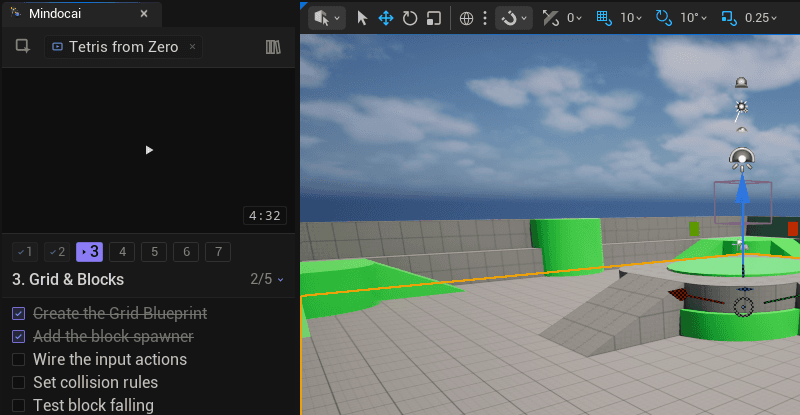
A companion docked in your Unreal editor: courses you follow while actually building, step-by-step plans when you don't know where to start, instant answers when you don't understand what you're looking at, and help finding the bug when something breaks.
Video courses made by creators, followed inside the editor: watch, do the steps, and ask whenever you get stuck.
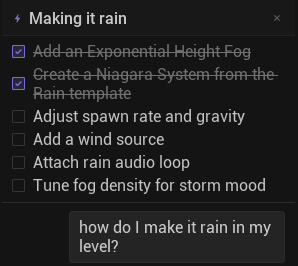
How courses work ↓Say what you want — “make it rain in my level” — and get a step-by-step plan you follow at your own pace.
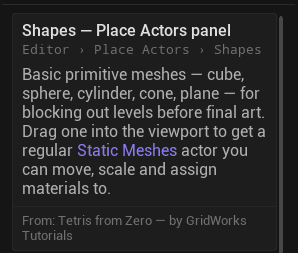
A button or panel you don't understand? Select it and get an explanation in context, right where you are.
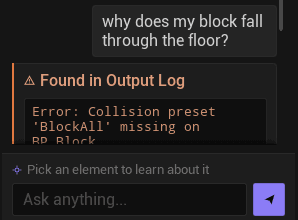
Something broke? It reads the editor logs with you and helps you see where you went wrong.
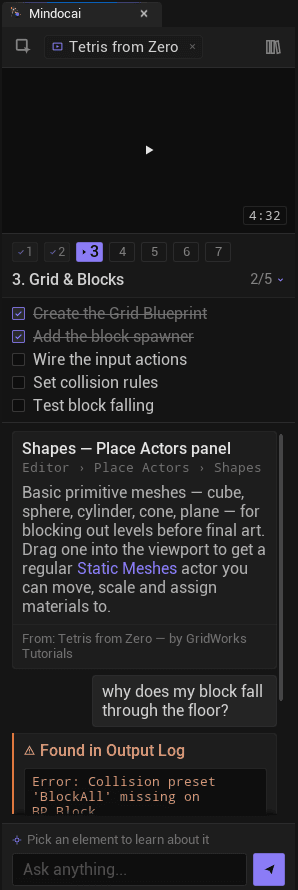
The creator's videos come split into sections: the video stays pinned above your workspace chat and the current section's steps appear as a checklist right below. You watch a chunk and actually do it in the editor.
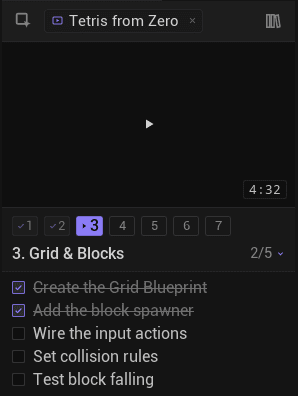
Stuck mid-step? Ask right there: about the step, or by pointing at any editor element you don't recognize. The course waits; detours are part of learning too.
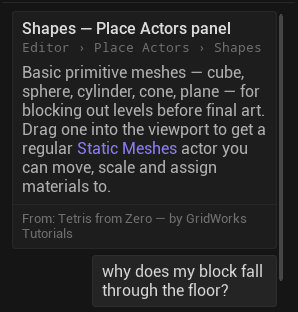
Sections and steps check themselves off as you go. Leave whenever you want: the course reopens exactly where you left it, days or weeks later.
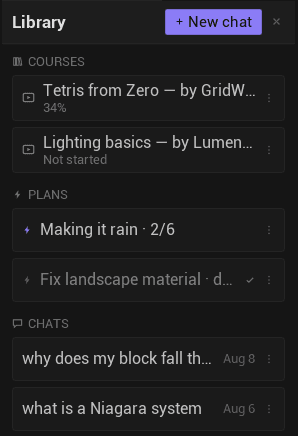
“I want rain in my level” becomes a checklist pinned to the top of the panel: six concrete steps in the right order, each one explained when you reach it.
Go at your own pace. Check off what's done, ask about any step, and dismiss the plan when you finish.
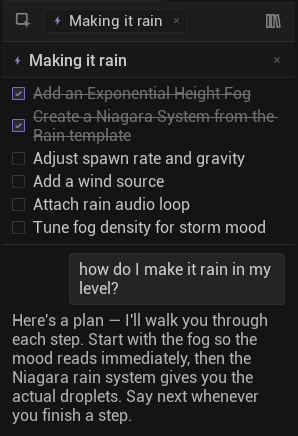
The Unreal editor has hundreds of panels, buttons, and settings. Turn on the picker, click the one you don't recognize, and get an explanation of what it is and when you'd use it, in context.
Keep asking in the chat and go exactly as deep as you need.
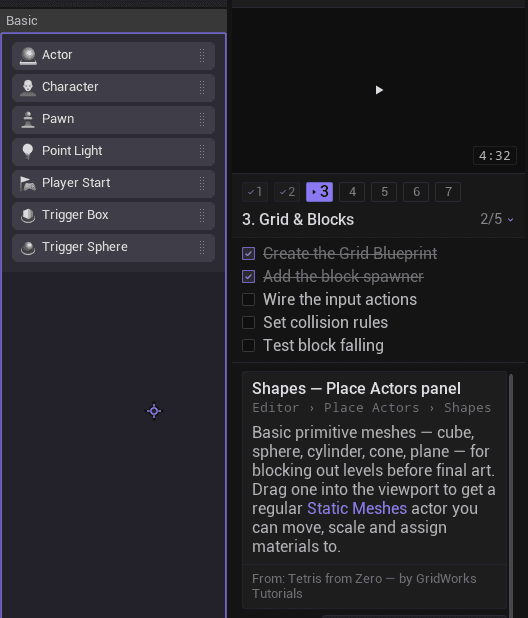
Mindocai watches the Output Log, finds the error that matters, and explains the fix in plain language — so you learn what went wrong, not just how to make it go away.
Resolved errors collapse into a one-line receipt, so your chat stays readable.
Explanations at your level: total beginner, someone coming from Unity, or a veteran exploring a new corner. Never too much, never too little.
It keeps track of what you've already covered, so nothing gets explained to you twice from scratch: it builds on what you already know.
AI agents and code assistants do things for you. Mindocai makes sure you understand what you're doing: it never touches your project and never acts on its own.
It explains, guides, and helps you find your own mistakes. You can keep using your favorite coding AI alongside it — they're different jobs.
Bring your existing courses into the editor. No re-recording, no new production — your videos, chopped into interactive sections, surfaced to learners at the exact moment they're stuck on what you teach.
It's powered by AI, but it isn't a chat window floating next to Unreal. Mindocai sees your context: the element you picked, the panel you're in, the error in your log, the course step you're on — and answers for YOUR situation, not generic Unreal advice. And most of it isn't chat at all: an element picker, step-by-step plans, video courses with progress tracking, error diagnosis, and a memory of what you've already covered so nothing gets explained twice.
No — and that's deliberate. Mindocai never touches your project, never edits anything, never acts on its own. It explains, guides, and helps you find your own mistakes. If you use a coding assistant or agent, keep using it — different jobs, no conflict.
Two kinds of people. Total beginners building their first thing with zero Unreal knowledge — and experienced developers hitting a corner they've never touched: Niagara after years of Blueprints, Unreal after Unity, rendering after gameplay. Unreal is vast; everyone is a beginner somewhere in it.
We're starting with Unreal Engine 5. Specific versions will be announced along with early access.
The plugin and the AI sidekick are free during early access — with fair daily limits. Courses are made by creators and sold individually on this site (not inside the plugin); each creator sets their own price. If you're a developer with your own AI provider account, you'll be able to plug in your own API key and skip the limits.
Yes — bring-your-own-key is planned as an option from early access: use your own AI provider account with no daily limits, and your requests go through your key.
Only what's needed to answer your question travels: the editor element you select or the log line you're looking at. Your project and your assets are never uploaded.